App Shows You Where All the Time Goes

Awareness can be a bitch. For example, it’s one thing to have an intellectual understanding that factory farming is bad based on articles and some statistics. It’s another to visit a factory farm or see one of those gnarly PETA videos. Unlike the heady intellect, awareness is visceral and far more likely to impact our behavior. Similarly–though far less horrifically–we can intellectualize how we fritter away time on activities that add minimal value to our lives, but until we see the cold, hard data, until we become fully aware of the impact of our time-wasting, those concepts will, in all probability, fail to inspire change. If you are committed to making the most of your time and life, if you want to see the truth–even if it’s a little or very uncomfortable–an app called RescueTime might help.

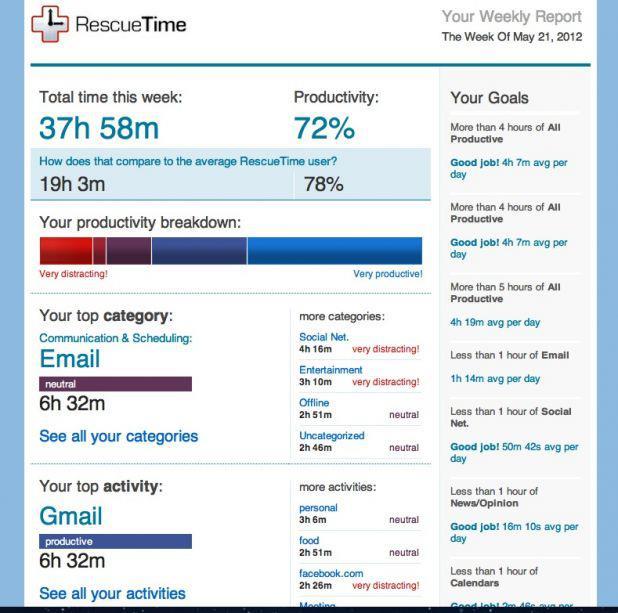
Many of us spend a good deal of our waking hours on computers. As we discussed the other day, some of that time is put to good use and a bunch of it is not. RescueTime promises to “Measure Your Digital Life,” giving us a breakdown of where exactly we’re putting our time when we’re on our computers.

Setup is easy. Just download the RescueTime app and enable it to monitor your computer’s activity (also available as a browser extension). RescueTime Lite is free and allows you to categorize which types of sites and applications are productive and which are not; for example, I listed “Design and Composition” as productive and “Entertainment” as not productive (it does not account for sites that start off productive, but devolve into unproductive, like Huffington Post). There are also neutral sites like Google.com. You can set daily time goals for each, e.g. a goal of logging five hours on productive sites and apps and a goal of limiting yourself to one hour on non-productive ones.

RescueTime also has a Premium version which gets more detailed about your time usage data. It can give you hour-by-hour reports of where your time goes. It will monitor your computer activity and if you take off for a while, it will ask you what you were doing and allow you to manually log your activity. It allows you to block distracting websites, it sends push notifications for various goals and statistics and features a host of other productivity-enabling features. It costs $9/month or $72/year.

RescueTime is available for OSX, Windows, Linux and Android operating systems. It’s available as a Firefox or Chrome extension as well. You might notice it is not available for iOS, which might be limiting for those who frequently use their iPhones or iPads.

As Ben Franklin once remarked, “Dost thou love life? Then do not squander time, for that’s the stuff life is made of,” but many of us aren’t aware that we squander time or the extent to which we do. RescueTime helps us see where our time goes, thereby cultivating the awareness to make the behavioral changes that will put it to better use.

Distracted, Dangerous and Dumb: Why it Might Be Time to Check Our Cellphone Use

Chances are, unless you’re living deep in the mountains or at a geriatric home (located deep in the mountains, staffed by fellow geriatrics), your world is populated by people glued to cellphones and other technology. A while back, we wrote about a survey that found the average American spends 2 hrs 38 mins every day on his or her phone or tablet…doing pretty inane stuff: mostly checking Facebook and playing games. A further while back, Joe Kraus cited research that suggests cellphone use is making us stupid. We lose 10 IQ points when we multitask–what we’re doing when we pingpong between checking our Facebook status and filling out that spreadsheet for work every few minutes. This loss is no small sum for us non-Mensa members. Worse still, the more we multitask, the worse our ability to monotask–i.e. focus on one thing–becomes.

Here are some other awesome consequences of our tech obsession:

  • A Kent State University study found that of the 500 students observed, “high frequency cell phone users tended to have lower GPA, higher anxiety, and lower satisfaction with life (happiness) relative to their peers who used the cell phone less often.”
  • According to the National Safety Council, there is a cellphone related car accident every 30 seconds (~335K this year alone). The NSC reported 3331 distracted related deaths in 2011; 12% (350 fatalities) were explicitly attributed to cellphones. Experts believe that number is far higher given that 50% of fatalities were for reasons unknown.
  • Studies conducted at the University of Essex found that the presence of a cellphone, even when not used, affected subject’s ability to connect on a deep level and find empathy for his or her partner.
  • University of Maryland study found that people who used a cellphone, even for a short period, were less likely to engage in “prosocial” behavior, which is defined as behavior intended to benefit another person or society as a whole.
  • A Boston Medical Center study observed how cellphone use affected parenting. They found that 40 out of the 55 caregivers studied used their phones during meals, and that children were more likely to act out with caregivers in direct proportion to the level of the caregiver’s absorption with the phone.

If the constant use of our cellphones and other tech is such a time suck, if it’s making us stupid, if it’s compromising our safety, if it’s making us lousy friends and parents, why the hell do we do it?

Louis CK has a couple theories.

In the above video, CK tells Conan O’Brian why he doesn’t want to buy his daughter a cell phone even though other parents do it. “Just because the other stupid kids have phones doesn’t mean that–oh, my kid has to be stupid otherwise she’ll feel weird.” He explains why doing so is particularly deleterious to a chid’s ability to develop empathy. He says:

I think these things are toxic, especially for kids…they don’t look at people when they talk to them and they don’t build empathy. You know, kids are mean, and it’s ’cause they’re trying it out. They look at a kid and they go, ‘you’re fat,’ and then they see the kid’s face scrunch up and they go, ‘oh, that doesn’t feel good to make a person do that.’ But they got to start with doing the mean thing. But when they write ‘you’re fat,’ then they just go, ‘mmm, that was fun, I like that.’

An assertion that accords with the University of Essex study.

Social acceptability, unfortunately, is not the end of the story. There is a growing body of evidence indicating that our overuse of technology is no mere habit, but a symptom of an addiction. Studies have found that people sleep with their phones, get panicked and go into withdrawal without them. The addiction, like one to heroin or Oreos, might be salving that existential hole, that fear of being still and alone with our mortality, Louis CK alludes to. (Or maybe we’re waxing a bit too grandly).

So what do we do?

In his quest to kick heroin, Miles Davis was said to have locked himself up in his dad’s barn for a week, sweating and struggling it out. Fortunately, there might be a more incremental way to stop chasing the technological dragon:

  • Cultivate awareness. Check yourself frequently to see if your use of technology is taking you away from the present moment. Sometimes the present moment calls for a phone call or checking your GPS. But quite often, what’s going on around us in our immediate environment–talking to friends, being with our children, walking in the park, doing a work task, doing nothing–is more important than whatever we’re doing on our phones. If you’re mindlessly using technology, stop.
  • Go techless. Leave your phone at home. Don’t pack a tablet. Get away from backlit screens. It might feel uncomfortable for a while. Your brain is detoxing. If people like your spouse are accustomed to reaching you at any time, let them know you won’t have your phone. It’s okay. The world will not fall off its axis.

It’s Going to be a Bright, Bright Sun Shiny Day…No Matter the Weather

Getting adequate light is one of the biggest challenges of living in an apartment, especially in densely populated cities like NYC and SF where buildings block out one another’s light. In any given building, there are going to be units with crummy lighting: first floor apartments whose light is shielded by neighboring buildings, apartments that look out into sunless shafts, apartments with few windows. This situation can turn a nicely-laid-out space into a dungeon-esque hole. But the days of relying on architecture and the good fortune of landing a nicely lit apartment might be coming to a close. A concept LED panel developed by Paolo di Trapani and a team from the University of Insubria in Italy called CoeLux can perfectly replicate a cloudless sky with the help of nano-particles.

The panels actually mimic the chemistry of the sky as Gizmodo reports:

What the panel is actually imitating is the Earth’s atmosphere, a special cocktail of nitrogen, oxygen, and assorted other gases that makes our sky appear blue. Using a white LED behind a polymer screen that is coated in titanium dioxide nanoparticles, the window is able to reproduce Rayleigh scattering—the process that separates light particles into “blue” sky and “yellow” sun for our eyes.

The panels have three angles of light depending on the quality you want: CoeLux 60 for tropical light that hits more directly; CoeLux 45 for Mediterranean light that’s less direct and CoeLux 30 for “lateral,” Nordic light. Incredibly, the pictures you see here are real and untouched.

coelux-45

No word on the market availability of CoeLux, but it seems like they’re serious about bringing it to market. It might not be long before we’re all sitting in sunny, basement rooms on cloudy days. Though they don’t mention it on their site, we suspect you’ll soon be able to program whatever weather condition and view you want on your CoeLux “window.” Do you live in Milwaukee and want a partially cloudy day with a view of the Eiffel Tower? No problem.

CoeLux suggests other applications. They say the panels would provide relief for places like Beijing that are often shrouded in smog. This prospect seems like putting icing on mud pie–a way to avoid the consequences of poor environmental control. But what do we know?

The bigger question may be whether we should replicate nature in the first place. Would it screw up our natural biorhythms? What if the power cuts out…would we just be stuck in an unlit space? Isn’t it just kinda strange? While we don’t know the answers to any of these questions, it does bring to mind futurist Stewart Brand’s famous statement, “We are as gods and have to get good at it.” In other words, we already manipulate nature in countless ways, why not avail ourselves of technology that can make our living environments much more pleasant? What do you think?

Put Down Phone, Save Lives

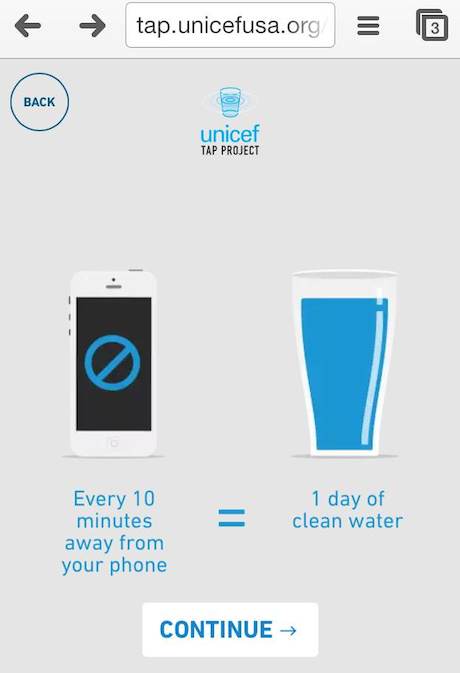
There was a day, quite recently in the cosmic sense of time, when we could leave our homes without phones. We went on dates, made appointments, got directions, read books–all without pocket-sized, 3G, GPS-enabled technology. That day is long gone. So essential have they become, that many of us would sooner leave the house without pants than go without our phones. If you’re trying to reduce this dependence, UNICEF might have a way to help. Their TAP Project is asking people to put down their phones for 10 minutes; in exchange for this Herculean feat, sponsor Giorgio Armani will donate enough money to provide clean water for one child for a day. The idea behind the project is to remove something we live with and take for granted to better understand how people around the world do without clean drinking water.

photo1

To take this challenge, navigate to the Tap Project’s site (uniceftapproject.org) on your phone. The site uses your phone’s accelerometer to see if you’re actually leaving it alone. You must actually put the phone down–no reading or moving it whatsoever–or there will be no donation. We would add that you might take this challenge when you wouldn’t be normally leaving your phone alone–e.g. sleeping, yard work, etc.

While our phones pack many marvels, they also pack some not-so-desirable side-effects; some have argued that our phone-addiction is eroding our ability to pay attention to anything for sustained periods, and they might be decreasing ability to be present with our immediate environment. If you feel yourself experiencing these, or other, conditions, the Tap Project can help you regain your focus while making a positive impact for someone in need.

Smart phone on wood background image via Shutterstock

Via Treehugger 

Tour the iPhone of Homes

The gadget is probably the most important product design concept of the 21st Century. Whether applied to a phone, tablet, watch or whatever, the descriptor denotes a product that serves many roles and is packed with as much technology as possible. While the gadget is usually associated with personal tech, in this video clip, UK’s Channel 4 TV show “Gadget Man” applies the philosophy to home design. Plopped in the middle of downtown London, the show constructed a 12 sq meter home that displays a level of versatility usually reserved for smartphones.

Much of the tiny house’s interior slides on rails that are moved by a hand crank. Since the house has a finite amount of space, cranking out one room displaces another–for example, opening the kitchen cuts in on the living room and so on. Even going to the bathroom requires cranking and reducing the main space’s area–not particularly convenient for urgent evacuations.

In addition to interior features, the house is packed with several space saving products. There’s a pillow remote control, a rubber ducky speaker, “plates” that you hold like a ring and a Thermomix, a 12-in-1 appliance that does everything from steaming to blending to cooking and more.

Style: "Neutral"

The house idea is very cool, though we wonder if the gadgety ambitions might have exceeded its design. Unlike like a smartphone, which, thanks to Moore’s Law, can fit millions of processors in a tiny package, architectural design will always have the constraint of having a human move through the space. As such, the Gadget house requires that human to do a lot of reconfiguring just to do some pretty basic stuff. We imagine this would get tiresome really quick.

Then again, the place is clearly a concept, not intended for longterm living. And in that sense, it’s a clear success, filled with cool ideas and spreading the good word that a house is whatever you want it to be–not what it has historically been.

[thanks for the tip Graeme]

Speakers that do Heavy Lifting

Finding speakers for a small space can be tricky. Standalone models are often ungainly and use up precious floor or shelf space. While we use the Amena Invisible Speakers in the LifeEdited apartment, we found a couple amplified speakers that do double duty as discrete–and practical–shelving units.

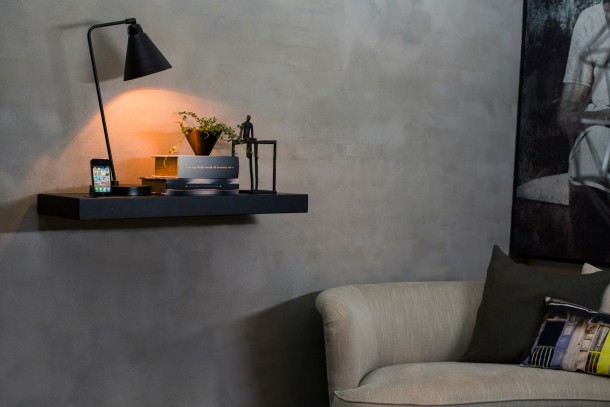
Danish company KREAFUNK’s aSHELF (pictured at top) combines an iPod/phone deck, built in speakers and a practical shelf that can hold 33 lbs. The speakers themselves are powered by 2 x 20W speakers–more than adequate for a small to medium-sized room. It’s not clear whether the dock is the old 30 pin connection or the newer 8 pin (we suspect the former). There is a Bluetooth receiver for wireless streaming from any compatible device as well as a line-in for other audio sources. Sadly, there’s no Airplay functionality. Way sadder is aSHELF doesn’t appear to be available in the US. Price: kr 2000 (~$363).

fe_h51_walnut_ambient_living_01

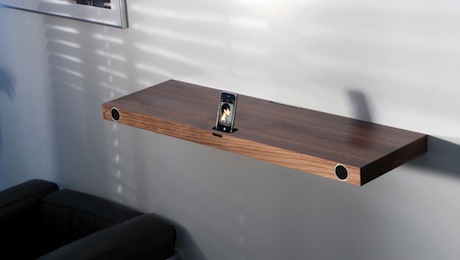
The Finite Elemente Hohrizontal 51 (above) is another cool shelf/speaker Americans will probably never get the chance to hear. Made in Germany, it features 2 x 50 W speakers, iPod/phone dock, Bluetooth capability and line-in. The shelf also holds a hefty 55 lbs (assuming your wall can handle it). We found them for sale in England for £499 ($819).

State of Art or Tech Overkill?

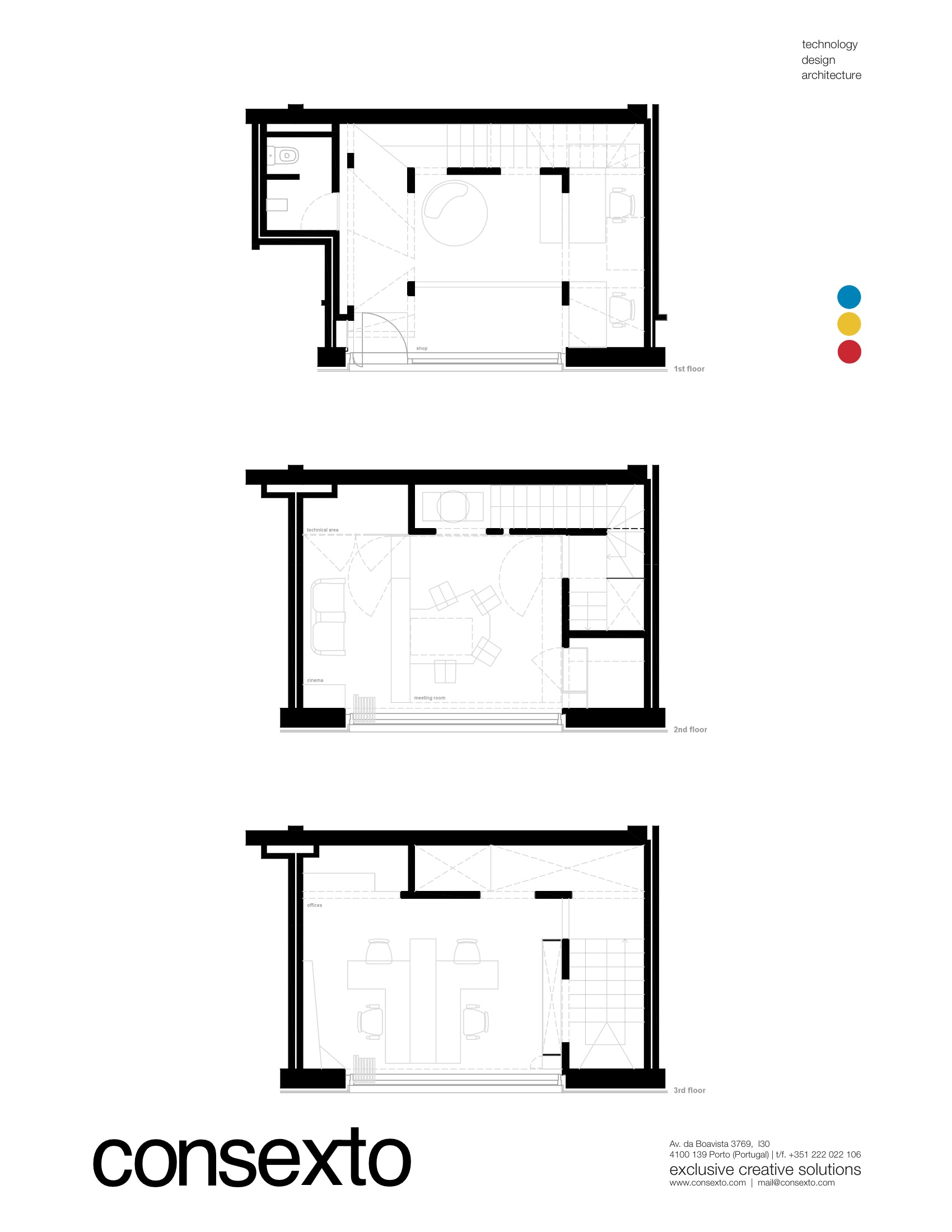
Porto, Portugal based architectural firm Consexto might be the look of things to come in home design. They have executed a number of projects at the vanguard of technological and architectural integration. The firm describes themselves as “a company which offers tailored services that conjugate the fields of TECHNOLOGY, ARCHITECTURE and PRODUCT DESIGN” (don’t worry, their pictures and videos are far more articulate).

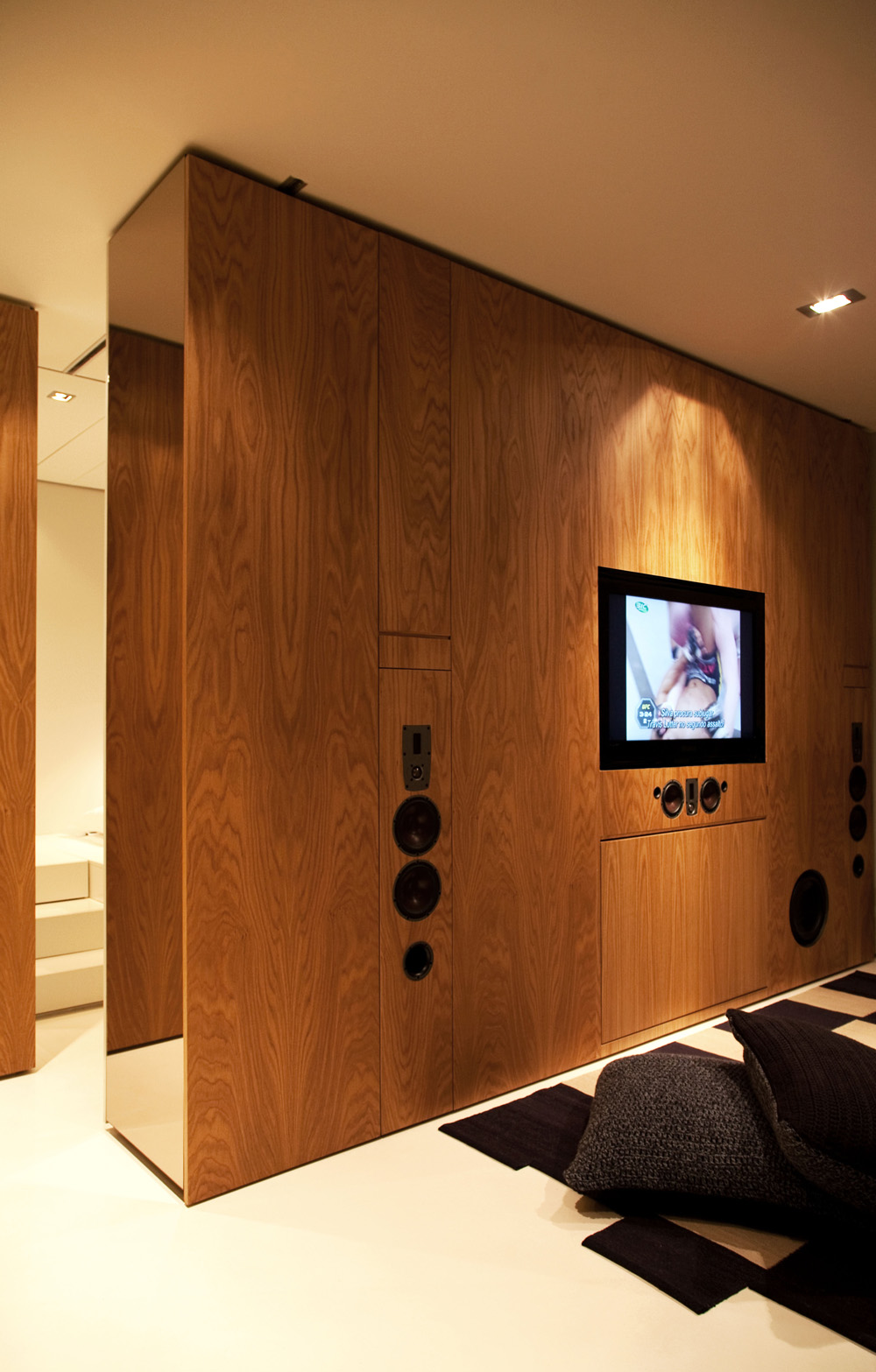
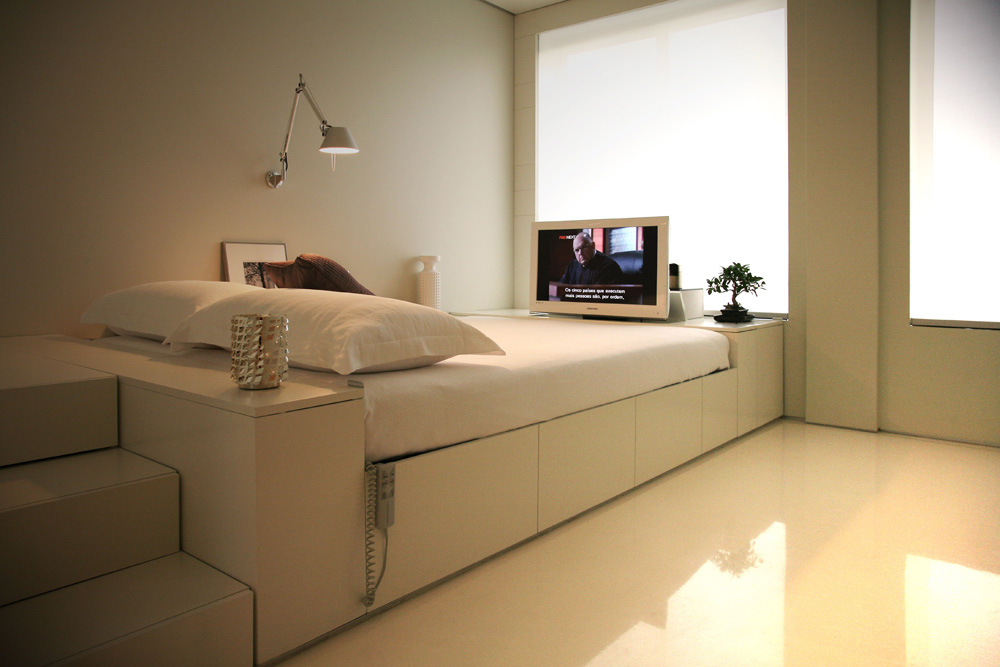
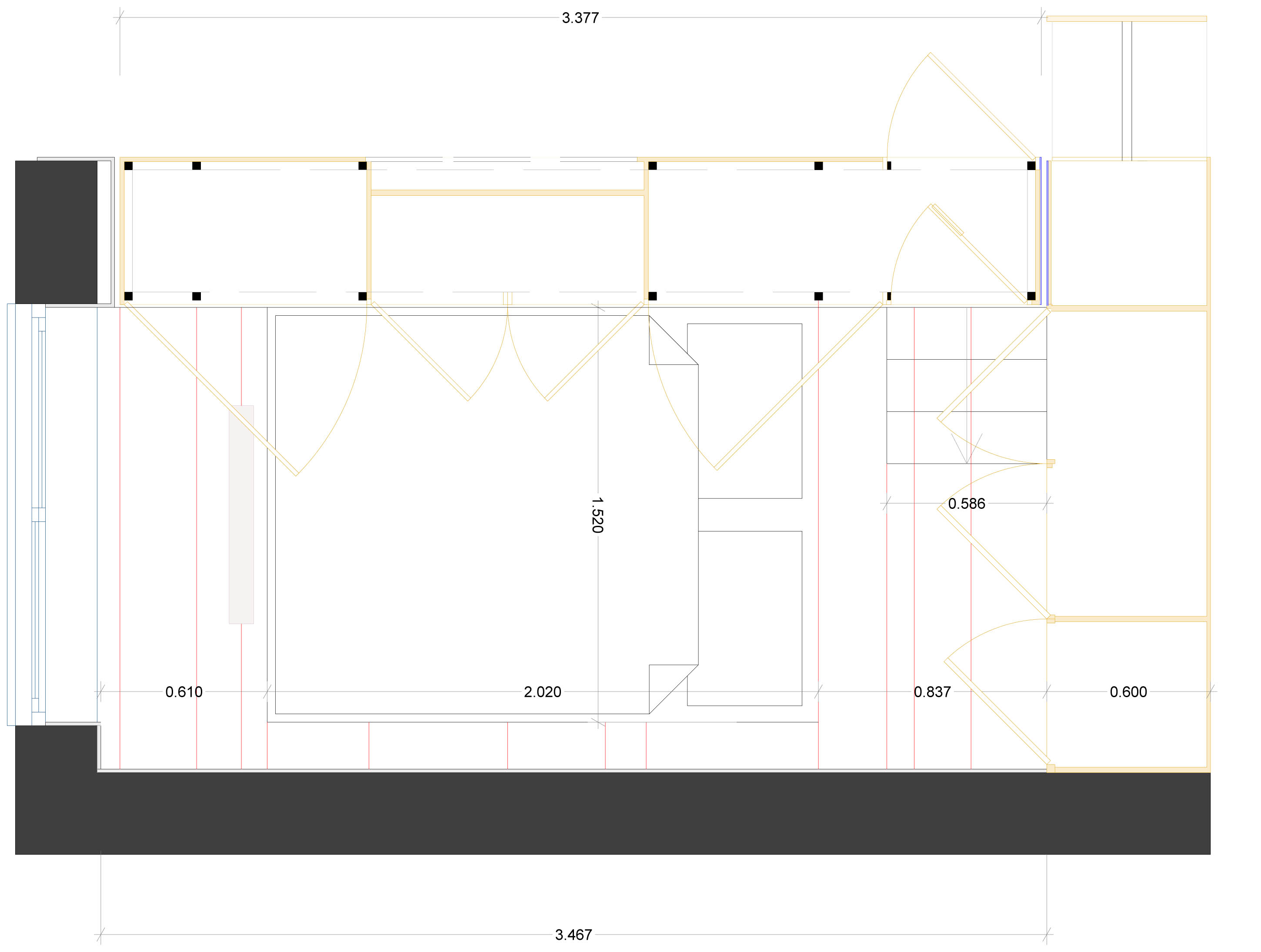
Perhaps their best known project is dubbed Closet House. The 474 sq ft home, completed in 2010, is a marvel of automation and technological integration into interior design. Virtually every part of the house is remote controlled and motor driven: there’s a moving wall that opens to reveal a hidden bed; an LCD TV that pops up from the bed’s frame; glass racks that automatically descend from the kitchen cupboards; a movie screen that descends from the ceiling; and much more. The home holds the dubious promise of never lifting a finger to do anything in your house ever again.

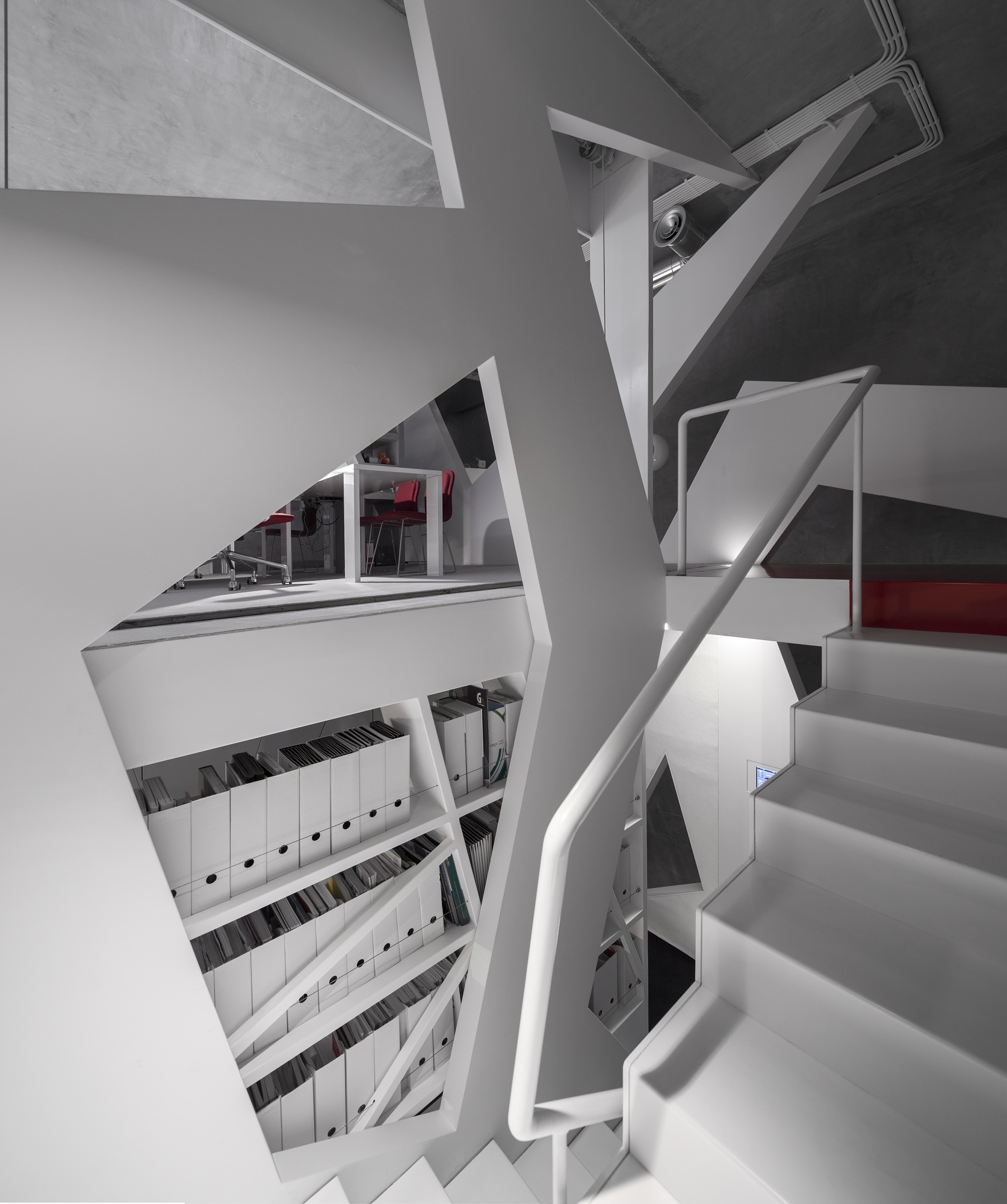
Their latest public project is the Consexto Lab. The interior has nary a right angle in sight. The space is replete with movie walls and books shelves, LCD screens, touch pad controls and shimmery exterior surfaces. Descriptions–mine, and far less theirs–don’t serve to convey the space’s functionality in the way their video does.

Consexto is undoubtably a talented firm, whose projects show a lot of smart ideas that could work their way into many homes in the not-so-distant future. They have created a number of elegant ways to fuse architecture with technology.

All that said, we wonder about making proprietary technologies an integral part of a space’s ability to function. In other words, will today’s cutting edge seem like a blunt instrument five or ten years from now? Let us know your thoughts in our comments section.

What’s So Damn Important Anyway?

According to one survey, the average American “consumer” spends 2 hrs 38 mins on his or her smartphone and tablet per day. If you think that time is spent working and moving the wheels of progress forward, you’d be wrong. 80% of that time is spent inside apps, with games and Facebook making up the bulk of the app time–50 and 30 of total minutes respectively. The other 20% is spent on mobile web browsers. And as much flack as it tends to get, email makes up a mere three minutes of the daily total (no figure is given for time spent speaking to others on the phone, though we imagine it’s a similarly small amount).

The above video gives a great illustration of what a world looks like when people spend 2:30 hours+ on their smartphones. It’s a world of distractedness, extraneous documentation and general lack of presence. For many of us, it is our world.

Today, before we reach for our smartphones, before we interrupt our conversations, before we take a picture or video to “save” a moment, before we check in with our friends on Facebook or fly with Angry Birds, we might ask ourselves, “is what is on my smartphone or tablet more important than what’s in front of me?”

What Do You Do With Those Old Photos?

Few things are more heartwarming than going through your old photos. You get to see an illustration of where you’ve been–along with laughable hairstyles and clothing.

But when do most of us go through our old photos? When we’re moving, of course. We take these strolls down memory lane in between packing boxes. We reminisce, decide we can’t just chuck out our pasts and seal them back up in boxes. We repeat this process in 5-10 years when we move again.

You want to keep a record of your life, but stashing photos in a box for decades and shifting them from one storage space to the next gets expensive and complicates your life. It’s also not that great for the preservation of the photos. And say what you will about digital photos, but they are far more portable, allow easier access should you want to peruse or print them and don’t yellow and crack like their papered brethren.

While scanning photos yourself is possible, it’s a pain that most of us don’t want to endure. Here are a couple affordable services that do high-quality digital conversions of your old photos (note: this is for 4″ x 6″ photos. Optional services include scanning negatives and other formats. Prices vary.)

  • ScanCafe charges $.29/scan at 600 dpi. What’s nice is they allow you to pick and choose which shots you want to keep before charging. They also add a Value Kit which gets the price down to $.22/scan; there’s a longer turnaround and they scan everything you send rather than letting you pick and choose. Shipping and color correction included.
  • Scan My Photos sells you a 11″ x 8.5″ x 5.5″ box to fill with as many photos as you want. 300 dpi runs $159 $99 and 600 dpi is $247 $189. Postage for returning photos is included, color-correction is not.

There are many other vendors, but most of their pricing begins at $.35/scan, which adds up quick. And while the above might seem like a lot of money, consider the cost of carrying around your old photos, the inaccessibility of photos stashed away in your basement and the eventual loss when the photos yellow, curl and die.

If you have other suggestions for photo-digitization, please share them in our comment section.

Note: This post originally posted last year, but due to frequent questions about photo digitization, we thought we’d repost. 

image credit Pack Peddler’s Place

Upgrade to the Latest Stationary Phone

We came across an interesting story by Lane Wood, a San Franciscan who, after taking an impromptu dip in a lake, accidentally drowned his iPhone 5. Rather than immediately replace the uninsured phone, Lane decided to try a month phone free–no small feat for this hyper-connected freelancer.

Though Lane did go without his phone, he didn’t go offline. He still had his computer and carried around an iPad mini rather than his phone. He used Skype, iMessage, Google+ Hangouts and other tech to keep connected. He scheduled important calls for when he knew he’d be available.

The iPad may strike some as a big cheat, but he described how pulling the tablet out to text or web-browse was far more conspicuous than the constant sneak peeks he had previously given his phone. He also pointed to the fact that he couldn’t throw the iPad in his pocket, where his phone used to sit waiting to distract.

He writes at length about his phone’s vibrate mode, which he called “the secret killer of mental clarity.” For many of us (such as this author), we think we’re being pretty considerate leaving our phones on vibrate. But even though they are inaudible to all but us, Lane accurately described how his previous insistence to heed the vibration was almost as insidious as an audible ring. The constant “temper tantrum” of a phone’s vibrator begs us to divert our attention from the present moment to see who’s trying to contact us (it’s never that important, is it?). Lane replaced the persistent pocket vibration for the blissful unawareness of incoming texts, emails and calls on his iPad stowed in his bag.

He also noted that he used the iPad for taking photos. Once again, pulling out the ungainly device made him more judicious about what was and was not photo-worthy.

Lane’s experiment is more interesting to us because he didn’t go totally offline; that proposition is a bit extreme for most of us. What his experiment does is call into question the necessity for cell phones at all. Many of wake up near our tablets. We commute to be in front of our work computers. Maybe we travel with mobile hotspots. We come home and are near our computers once again. Every one of these pieces of tech have the ability to make and receive calls, texts and emails (through Skype, Google Voice, iMessage, Facetime, etc). What if we thought used these non-phone-devices as our “landline” phones?

We won’t minimize the need for some of us to have cellphones. They’re necessary hardware for many professions. But for the rest, what are the real consequences of being unreachable for a few hours a day?

Also, from a historic standpoint, Lane’s experiment is really no different than the way we all lived 30 years ago–a dark age when we had to be at home or at work to make and receive calls, when we made plans in advance, when our every waking moment wasn’t subject to a cellular invasion. Remember, James Joyce wrote Ulysses without a cellphone and Stanley Kubrick directed “2001: A Space Odyssey” without one too (we assume). Life wasn’t so bad or unproductive back then.

All this said, Lane did buy a new phone, calling his experiment a “disruption for [his] family, friends and clients.” This author, despite the questions Lane evokes, feels no urge to ditch my phone.

For those of us not ready to lose our phone, Lane did offer a few “discipline hacks” to curb MPU (mindless phone use) without giving up your phone:

  1. Turn your screen brightness all the way up when you go out at night. You will be very painfully aware of the fact that you’re using a phone and it will drain your battery. These consequences will help you use your phone only when necessary, and your friends will be more likely to call you out for having your phone out.
  2. Experiment with using Do Not Disturb functionality and turn your notifications off. Don’t reward your phone for throwing tantrums.
  3. Make an agreement with family and friends to call each other out for MPU.

What do you think? Would you, do you live without a cellphone? Would you, could you use your computer and/or tablet as your landline? Let us know what you think in our comments section below.

Screaming angry woman image via Shutterstock