Amazon Fire Phone and the Merits of Having Barriers

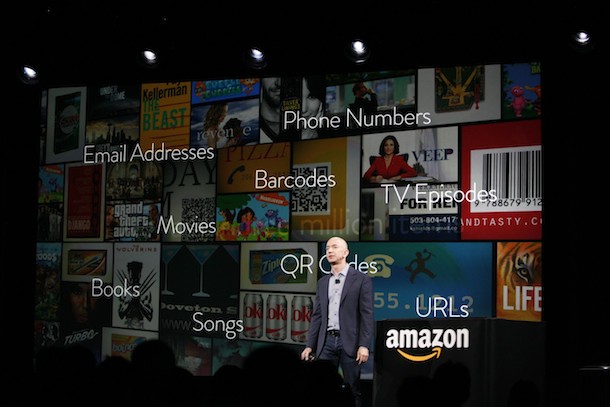
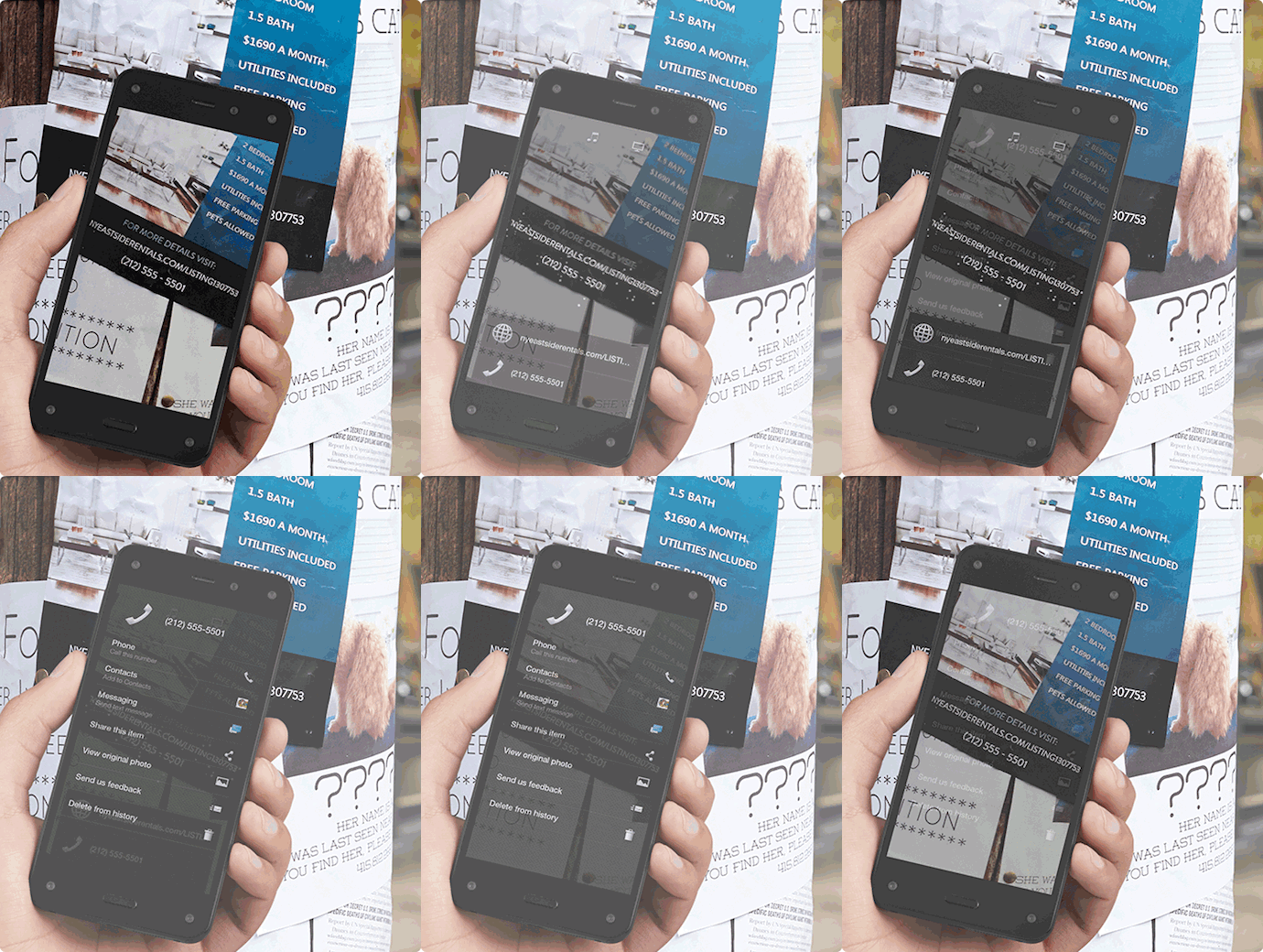
The Amazon Fire phone came out last week with great fanfare. Besides its nifty dynamic perspective capabilities, the Fire features the Firefly technology, which, depending on your perspective, is a great blessing or a major curse. Firefly has some beneficial or benign applications: you can take a snapshot of printed material with a phone number, email or web address; Firefly will allow you to call/email/visit or log the contact info into your phone with the press of a few buttons. You can take a picture of a famous piece of art and it’ll pull up its history. The technology holds the promise (or threat) of never having an unanswered question again.
firefly

But there are other things you can do with Firefly: via its various sensors (photographic, microphone, text) it’ll recognize movies, music and over 70 million products, all of which can be added to your Watchlist, Playlist, Wishlist or shopping cart. For example, take a picture of that copy of Ulysses by James Joyce at your friend’s place and you can buy it on the spot; let Firefly hear that snippet of James Brown’s “Living in America” and you can buy the MP3…and so on. We’d imagine some time in the not-too-distant future that the technology could advance far enough that you could take a pic of someone’s outfit and order everything he or she is wearing.

Of course, you’re not adding these things to just any watch or wish list, or just any shopping cart–you are adding it to your Amazon lists; you are, if Jeff Bezos has his way, buying stuff from Amazon. And there’s very little to stop you from walking into a Best Buy or any other retailer, snapping pics of all the stuff you want, then buying them for less on Amazon. We’re not lawyers here, so we won’t pretend to understand monopolies and antitrust laws, but it seems like Amazon is trying to lay the groundwork for a world where we can bypass all forms of non-Amazon shopping.

But leaving aside the Firefly’s benign applications and ethics, we wonder whether the removal of barriers to shopping is a good or bad thing? On the one hand, Firefly seems like an amazing way of streamlining our lives. No longer would we run out of toothpaste–just snap the barcode when we notice our tube running low and wait a couple days for a new one to arrive in the mail. This has a great appeal to this author who has an acute distaste for most forms of shopping. In fact, I buy most everything I can from Amazon as it is.

On the other hand, the opportunity for impulse buying would seem to increase dramatically. We could buy a pair of sneakers or Star Wars Darth Maul Fx Lightsaber with nary a thought of whether we need these things or not. And while I don’t like running out of toothpaste, sometimes going to the drug store and getting out of the house and running into a friend is not the worst thing I to do.

The other day, we reviewed the TINY documentary, which, as many pointed out in our comments, might not have been the most authoritative guide to small living. But the movie did, at least to my mind, show the benefits of developing a connection with out stuff. While shopping is a pretty superficial connection to the processes that bring stuff into our lives, it is some connection. Might the ability to buy stuff by taking a pic and pressing a button further erode that connection? It’s a world where humans don’t make stuff, they don’t even sell stuff–the world Firefly might presage is one where stuff comes from our phones and UPS.

Then again, maybe shopping in the physical space will one day be an archaic act–one that few of us will miss.

What do you think? Do you think the removal of barriers to purchasing a good or bad or neutral thing? Have you use Firefly? Let us know what you think in our comments section.

Image via Nextweb

A Beginner’s Guide to Streaming Video Services

When we did a short guide of streaming media devices a couple months ago, we omitted an important detail: where to get your streaming media. Streaming media is not quite there in terms of breadth and depth of selection (right now, the only way to watch anything is a Netflix DVD subscription, but getting DVDs in the mail seems so 2002). Navigating the streaming video waters–which service to use, how to search, etc–can be challenging for the uninitiated.

We’re not exactly experts about streaming video (aka video on demand), but we watch enough of it to give an overview of what’s out there and lend a few pointers for the streaming newbie.

Netflix

The original video store killer’s streaming service accounts for up to 1/3 of all internet traffic in the United States during peak hours (9pm to 12am). Did you hear that? 1/3!!! So we know we’re not the only ones digging through old episodes of “Parks and Rec.”

Netflix has a great user interface. At $7.99/month for unlimited content, it’s a bargain, and there are a ton of great movies and TV shows available. Definitely a top choice for streaming media.

But once you rip through those great movies and TV shows (at a rate you wouldn’t confess to your Thomas Pynchon loving friends) you are left with a seldom updated “new release” selection and a sea of studio duds. Sifting through them can be a chore.

What to do: Check out Rotten Tomatoes Netflix Streaming section. It’ll give the Tomatometer rating (a number that shows the percentage of favorable reviews) for every movie on Netflix streaming. We find some of the ratings are a bit generous (we typically like movies that are 85% and higher), but it’s a good place to start when you’re looking for a decent title. Also check out IMDB’s ranking of Netflix TV shows.

Amazon

Amazon is definitely trying to cut in on Netflix’s business with its free Prime movies and TV shows. For $79/year (a few bucks less than Netflix annually), you get a healthy selection of streaming video (much of it is the same stuff that’s on Netflix). But wait, there’s more! You also get Prime’s free two day shipping on Amazon goods; these goods, at least in our area, usually come next day and this $79 easily pays for itself.

The bummer with Amazon is its user-interface. Unlike Netflix, Amazon is a bramble of titles and category lists in which its great value gets lost. It also lacks Netflix’s original content, which, though not plentiful just yet, is pretty great, and popular shows like Mad Men and Breaking Bad aren’t there for free either.

Use it for: If you’re trying to save money and are a moderate streamer, Amazon Prime is a viable contender to replace Netflix.

We use it primarily for purchasing titles not available on Netflix streaming. They have most new releases; movies and TV shows start at $1.99, with first run movies costing around $3.99 for a 48 hour rental. If you’re only buying a few movies or shows a month, the additional expense isn’t a big deal (movie theater tickets are $13.50 in NYC, so it seems like a bargain to us).

Amazon is great for people who watch movies on their computers. The browser based standard definition viewer works well enough for small screens and the non-discriminating eye (i.e. most of us). It works on many devices like Kindle Fires, Xbox, Roku and others. You cannot, however, watch Amazon streaming through Apple TV, and their iPad app kinda stinks.

Since Amazon’s search functionality is a bit clunky, the Rotten Tomatoes DVD category can be helpful to find good movies to watch. RT’s reviews include direct links to Amazon as well as other video on demand services.

iTunes

Unlike aforementioned services, iTunes has no unlimited streaming service and it must be launched through their app. Searching is not so easy either. In other words, it’s not as cool as it was in 2001.

Use it for: If you have an Apple TV, iTunes will allow you to rent streaming movies (Apple TV does permit Netflix streaming). Rental prices are comparable to Amazon, their library is pretty deep and they get all of the new releases. If you buy a movie, you can access it on any device you authorize your account for (however, you can access an Amazon library by logging into your account on any computer). You can also watch TV shows and movies in HD on your computer.

Hulu Plus, Voddler and Vudu

Honestly, we don’t have much experience with these services. We used to use Hulu when it free, but at a certain point you need to choose one service and stick with it.

From what we can tell, Voddler and Vudu allow you to upload your own videos to create a cloud-based library. Vudu allows you to upload your DVDs in standard or high def. Voddler allows peer-to-peer video sharing. If you have experience with these or other services, let us know in our comments section.

Girl looks at Computer Image via Shutterstock